Your line's activity
Every call and text on your campaign line, newest first, with today's figures, a filter for calls or texts, and a keyword search.
The Activity tab lists every call and text on your campaign line, newest first: callbacks answered and missed, replies, opt-outs, and what the carrier said about each follow-up text. Use it to see what happened on the line today, or to find one person.
Open the activity
Open Campaign line in the sidebar.
Select the Activity tab. On Your line, View all beside Today opens it too.
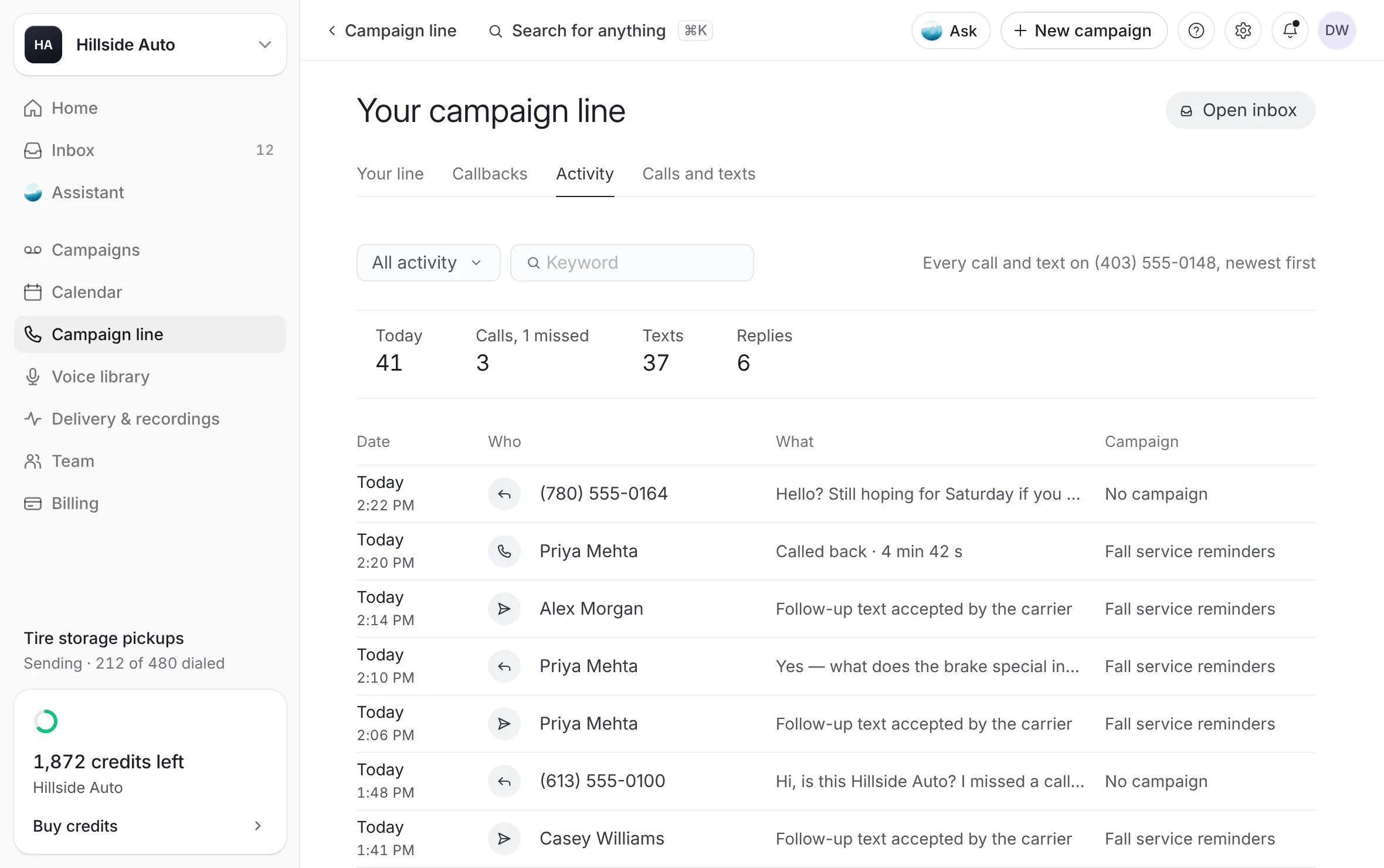 Example
What you see
a band with today's figures (Today, Calls with the missed ones, Texts, Replies), then a table with Date, Who, What and Campaign.
The call figures count calls to your campaign line. Counts calls to that number only.
Narrow the list
Open the menu that reads All activity and choose Calls or Texts.
To search, type in Keyword: a name, a number, what happened or a campaign.
On Your line, the Texts and Callbacks rows under Today open the list already narrowed.
What a row says
Who: the person's name from your list, or their number.
What: what happened, for example a callback answered with its length, a missed callback, a reply's words, an opt-out, or a follow-up text accepted by the carrier.
Campaign: the campaign that reached them, or No campaign when the caller is on none of your lists.
Select a row to open what it is about:
a reply opens its conversation;
a callback opens its campaign's callbacks;
an opt-out opens your opted-out numbers.
When the list is empty
Nothing on the line yet: "Callbacks, replies and follow-up texts show here the moment they happen."
With Calls chosen, No callbacks yet. With Texts chosen, No texts yet.
No number yet: calls and texts show here once your campaign line has its number. See Get a number.
Good to know
Today's figures follow the clock of the device you are reading on.
For the full record of every voicemail, text and callback by campaign, use the pages under Delivery & recordings. See Delivery overview.
Related
Last updated October 19, 2026
Was this helpful?