Get help from the team
Every way to reach a person: the Help page, a note to the team to build a campaign with you, a walk-through, email and phone.
The team behind The Call Guy runs every campaign, and a person reads every note. You can ask for a hand with a script, a list or a whole campaign, book a walk-through, or simply write or call. This page lists every way in.
Open the Help page
Select Help (the question mark) in the top bar.
Select Help center.
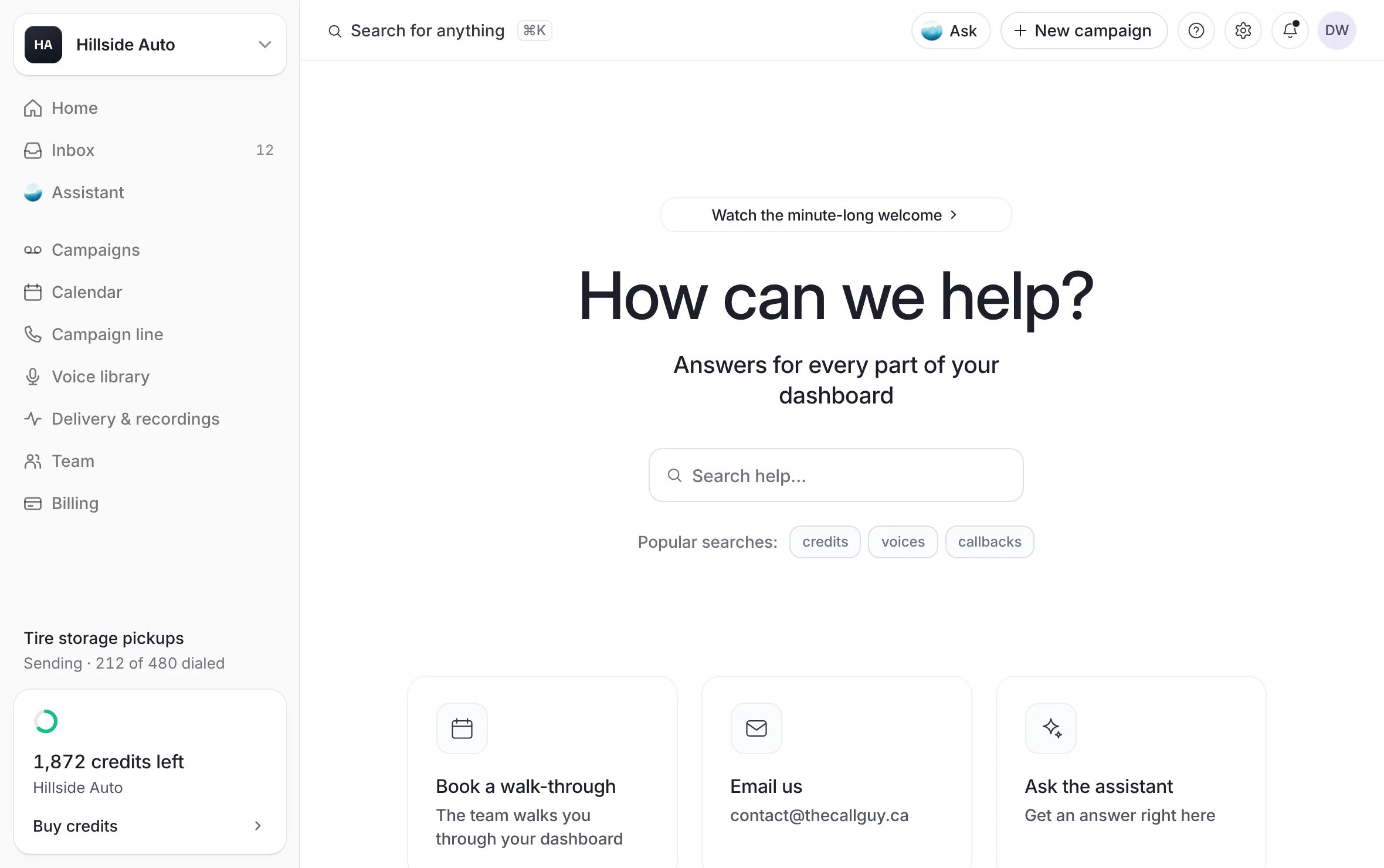 Example
What you see
"How can we help," and your first name, a search box (Search the answers), Ask the assistant, topic chips (Billing, Credits, Team, Voices, Your account), Quick answers, and Talk to the team.
Type in Search the answers to filter the quick answers as you type, or select a chip to see one topic. Select a chip again to clear it.
Each quick answer opens its own short article with Read more.
If nothing answers your question, the page says so and points you to the assistant and the team.
Ask the team to build it with you
Build it with us: the script, the list or the whole campaign, written with the team. The page says: "A draft and a take to listen to within a business day."
On the Help page, under Talk to the team, select Write to the team.
In What do you need?, choose one: Plan a whole campaign, Write the script with me, Check my list or Something else.
Answer the question under it. It changes with your choice, for example "What are you trying to get customers to do?" for a whole campaign.
Fill in Who is it for? and When should it go out? if you know.
Add anything else in Anything else (optional): a callback number to use, a voice you like, a deadline.
Select Send it to the team. It reads Sending….
What you see
It's with us., with "You'll hear back by email within a business day, usually much sooner, with a draft, a take to listen to, or the questions we need answered." Then Back to campaigns and Start one myself.
Nothing is spent by sending a note.
The first field needs a few words before it sends: "Tell us a little about what you want to say or do."
If you have sent several already, the page says "You've sent a few of these already — we have them and we'll be in touch."
If it cannot send, the page says "That didn't send. Email contact@thecallguy.ca and we'll pick it up."
Build it with us on the home page opens this same note, set to a whole campaign.
Book a walk-through
A walk-through covers the dashboard, the process and your questions, with the bundle that fits. Nothing is sent to your list.
On the Help page, under Book a walk-through, select Book a walk-through. An empty Campaigns page offers the same door.
Pick a time on the page that opens.
Write or call
Email contact@thecallguy.ca. Talk to a person, in the Help menu and in the workspace menu, opens a new email to that address.
Call 587-330-4225. On the Help page, select the number to copy it.
Ask from the assistant
When you ask the assistant for a person, it can prepare a request for the team. It shows a card with its summary of what you want. The request goes only when you select Send to the team. See Ask the assistant.
On Getting started
The Getting started page ends with Want a hand?: Build it with us opens the Help page, its other door books a walk-through, and the email address is beside them.
Good to know
A walk-through never sends anything to a list.
The team reviews every campaign before it is sent, whether you built it or the team did, unless your store chose Send on my own. See How the team reviews a campaign.
Related
Last updated October 21, 2026
Was this helpful?