The house voices
Ready-made voices for any campaign, with nothing to record: who they are, how to find one, and how to use it.
The house voices are ready for any campaign. You record nothing, and they use none of your cloned-voice slots. Pick one in the builder, or find one in the voice library first.
Find a house voice
Select Voice library in the sidebar.
Select the House voices tab. The tab shows how many there are.
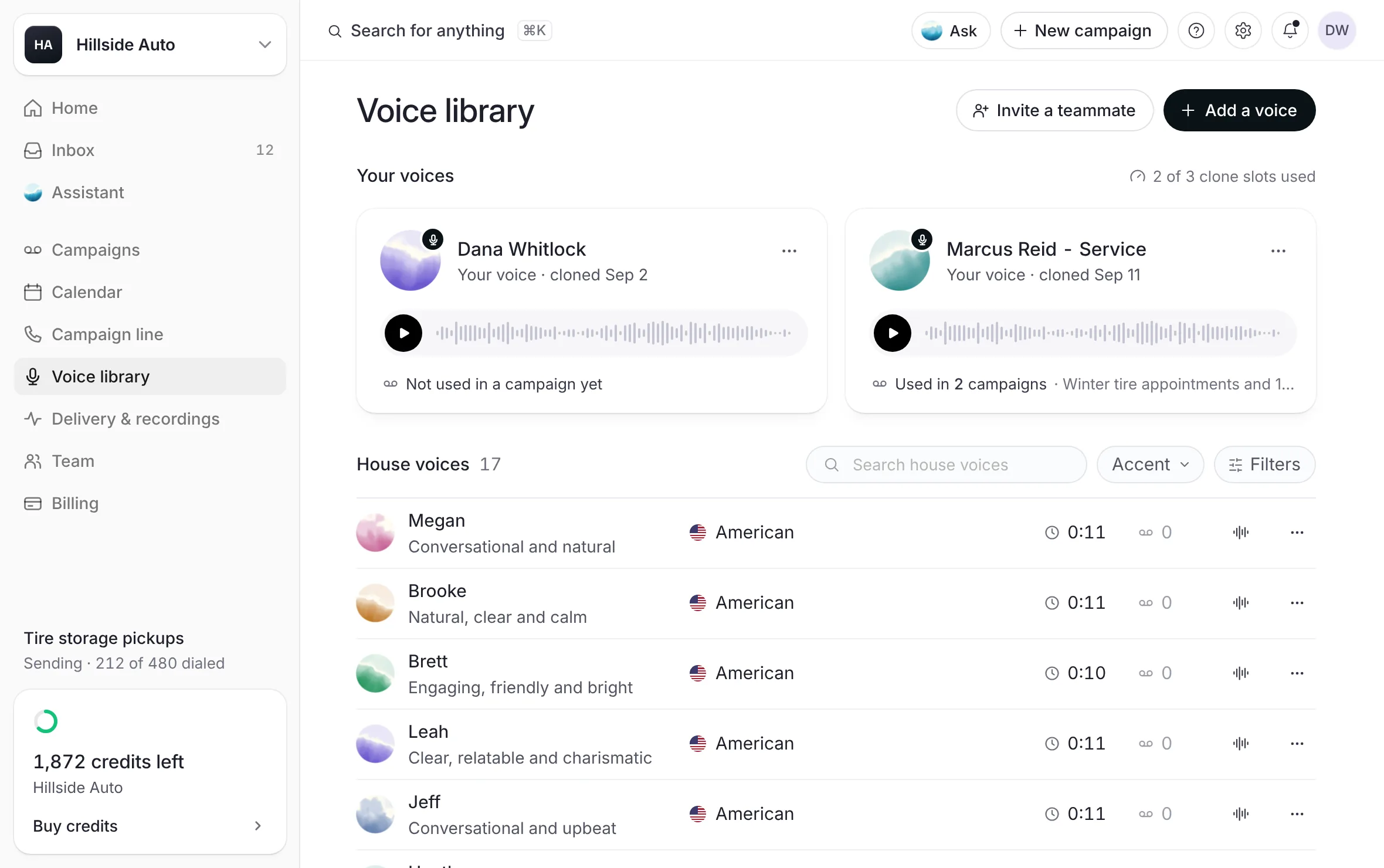 Example
Narrow the list if you like:
The search box finds a voice by its name or its description.
Voice type (Woman or Man), Age (Younger, Middle-aged or Older) and Accent (American or Canadian).
Word filters such as Conversational, Friendly, Warm, Calm, Upbeat, Confident, Natural and Clear.
Press a voice's play button to hear its sample. One sample plays at a time.
What you see
Each voice with its play button, how it sounds, its accent, the length of its sample, and how many of your campaigns have used it.
A house voice's sample is a short read of its own, not your script. To hear your words in a voice, use the preview in the builder. See Hear it before anyone else.
The voices
| Voice | Sounds like | Voice type | Age | Accent |
|---|---|---|---|---|
| Megan | Conversational and natural | Woman | Younger | American |
| Brooke | Natural, clear and calm | Woman | Younger | American |
| Brett | Engaging, friendly and bright | Man | Younger | American |
| Leah | Clear, relatable and charismatic | Woman | Younger | American |
| Jeff | Conversational and upbeat | Man | Middle-aged | American |
| Heather | Friendly, comforting and soft | Woman | Middle-aged | American |
| Ryan | Warm, smooth and steady | Man | Younger | American |
| Nicole | Friendly, warm and clear | Woman | Middle-aged | American |
| Kristen | Genuine, friendly and natural | Woman | Middle-aged | American |
| Melissa | Natural and conversational | Woman | Middle-aged | American |
| Dave | Calm and conversational | Man | Middle-aged | American |
| Evan | Natural and easygoing | Man | Younger | Canadian |
| Ross | Rich, warm and engaging | Man | Middle-aged | Canadian |
| Linda | Relatable, real and likeable | Woman | Older | American |
| Colleen | Natural, friendly and confident | Woman | Middle-aged | Canadian |
| Joanne | Southern and composed | Woman | Older | American |
| Walt | Authoritative yet approachable | Man | Older | American |
Use a house voice in a campaign
From the library:
Open the voice's menu (More for and the voice's name).
Select Use in a campaign. The builder opens with that voice chosen.
From the builder:
On Voice and message, select the voice row.
Under Who reads it, find the voice under House voices. Select View all to see every one, or use Search voices.
Select the voice, set How it sounds, and select Done.
Playing a sample never chooses a voice, and choosing a voice never plays it. See Tone, pace and volume.
Good to know
A house voice can never be removed from the library.
A campaign made in a voice that has since left the picker keeps its voice and its audio.
Sort voices orders the library: Clones first, Name, A to Z, or Most used once your voices have been used.
Choosing a voice and hearing a sample spend no credits. A credit is spent only on a delivered voicemail.
Related
Last updated October 19, 2026
Was this helpful?