Run a campaign again
Start a new campaign from one you ran before, with the same voice, script and follow-up text, and a new list and day.
Many businesses send the same campaign every season. Run it again starts a new draft from a campaign you ran before, with the same voice, script and follow-up text. You choose the list and the day, and the new campaign is reviewed like any other.
Run it again from the campaign's page
Open the campaign from Campaigns.
Select Run it again. It shows once the campaign is Done or Stopped.
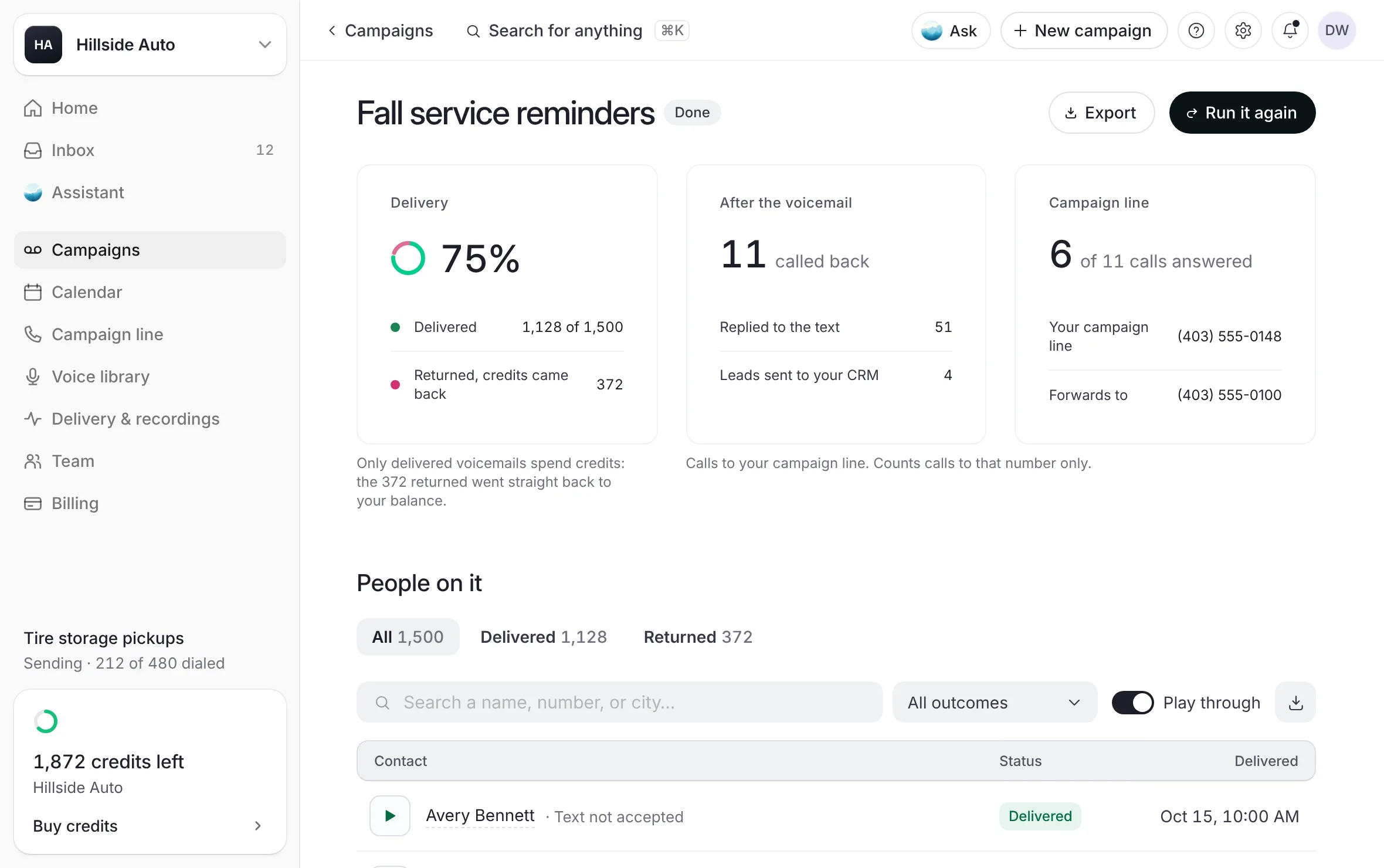 Example
If you already have a draft open in the builder, the builder asks Replace the draft you have open? Select Replace it, or Keep my draft to stay as you are. The builder holds one draft at a time.
What you see
The builder opens on Audience with a new draft. It carries the campaign's name, voice, script, tone, pace, start time and follow-up text.
Upload the new list, then go through the steps, choose the day on When, sign on Review and select Submit for review. See Build a campaign.
Run it again from the list
Open Campaigns in the sidebar.
Tick the box at the start of one campaign's row.
Select Re-run in the bar that appears. It works on one campaign at a time.
The builder opens with a new draft, as from the campaign's page.
Start from a past campaign in the builder
Select New campaign in the top bar.
On Name, open Start from a past campaign and pick one of your recent campaigns.
What you see
A line starts "Copied from" and names what was copied: the voice, the script, the start time and the follow-up text. If you had not typed a name yet, the campaign takes the past campaign's name with today's date. You add the list on Audience.
What carries over, and what does not
| Carries over | You choose again |
|---|---|
| The voice, its tone and pace | The list |
| The script and the message mode | The day |
| The start time | The list's consent, confirmed when you sign |
| The follow-up text, its language, and where callbacks ring | Your signature |
The list never carries over: a new season is a new list, and its permission is confirmed again on Audience.
The list's consent is confirmed again when you sign, because it belongs to the list.
If the campaign's voice is no longer offered, the draft opens without a voice and you pick one on Voice and message.
Good to know
Nothing is submitted and nothing is spent until you sign the new campaign and submit it.
The new campaign goes through our team's review like any other. See How the team reviews a campaign.
Related
Last updated October 19, 2026
Was this helpful?